Holidays
Use Holidays to block appointment booking for a full day or selected time slots.
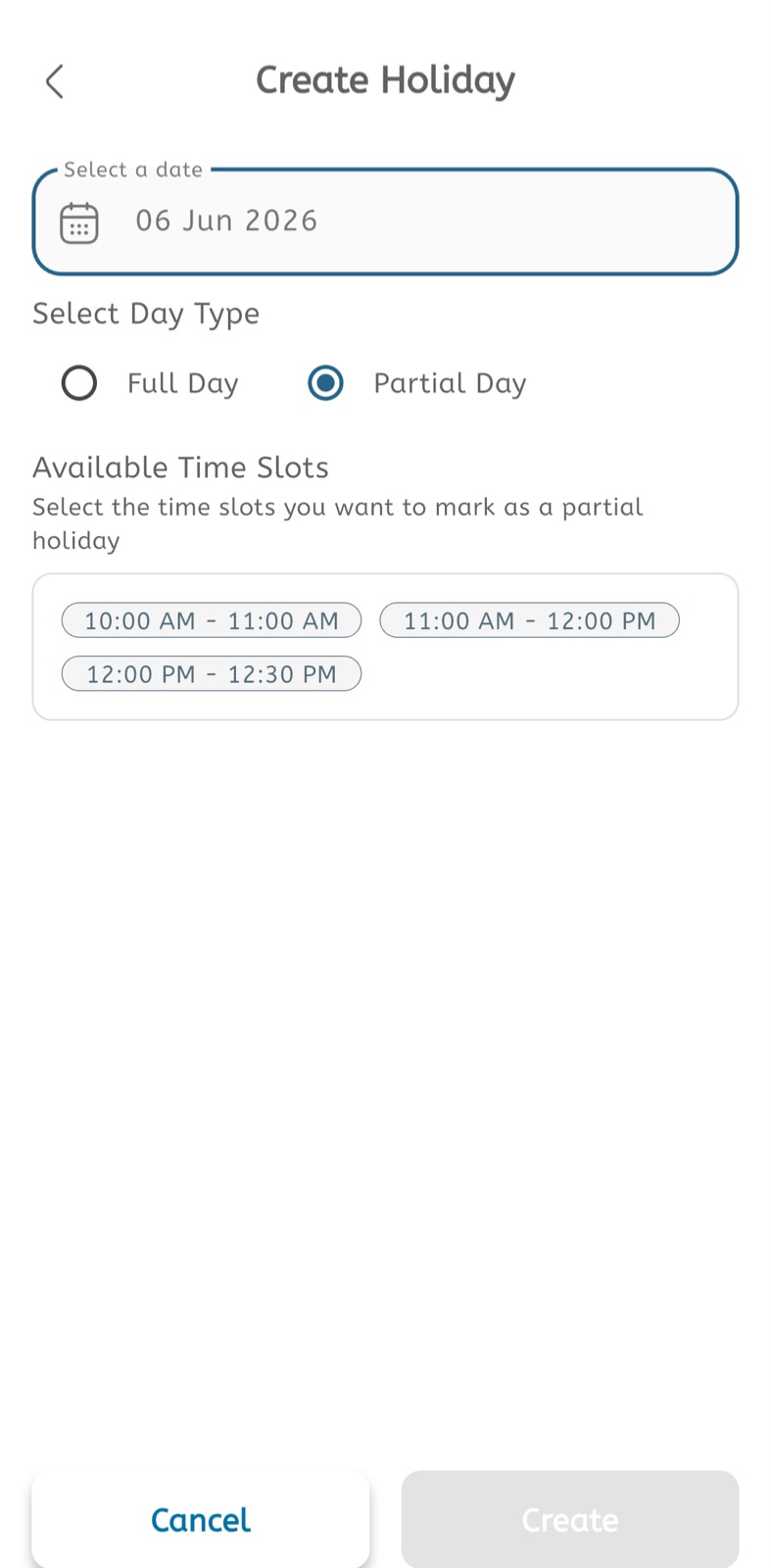
Create a holiday
- Open the main menu.
- Expand Calendar.
- Tap Holidays.
- Tap the + button or open Create Holiday.
- Select a date.
- Under Select Day Type, choose Full Day or Partial Day.
- If Full Day is selected, the whole date is blocked.
- If Partial Day is selected, review the available time slots.
- Select the time slots that should be marked as a partial holiday.
- Confirm the selected date and selected slots.
- Tap Create to save the holiday.
- Tap Cancel to leave without saving.
Manage holidays
- Open Holidays from the Calendar menu.
- Review the holiday list.
- Open an existing holiday if changes are required.
- Update the date, day type, or selected slots.
- Save the changes.
- Delete the holiday if the clinic is available again.
