Account Settings
Use Account Settings to update the public booking profile, contact information, country, time zone, and practice details.
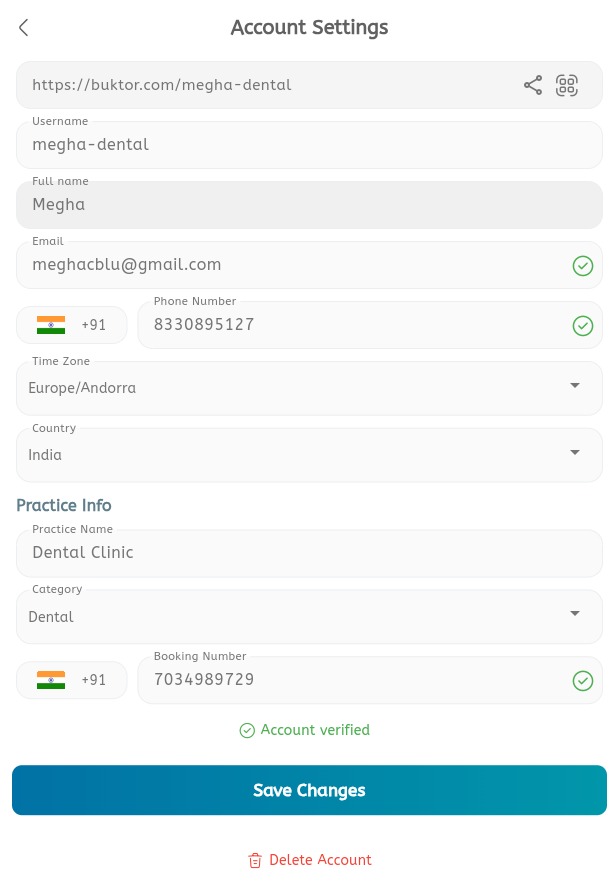
Update account settings
- Open the main menu.
- Expand Settings.
- Tap Account Settings.
- Review the public booking URL.
- Tap the share icon to share the booking URL.
- Tap the QR icon to view or share the booking QR code.
- Update the Username.
- Update the Full name.
- Update the Email.
- Update the Phone Number.
- Select the correct Time Zone.
- Select the correct Country.
- Under Practice Info, update the Practice Name.
- Select the Category.
- Update the Booking Number.
- Confirm that the account is verified.
- Tap Save Changes.
- Use Delete Account only when the account should be permanently removed.
